

Step 1
Create an Account by clicking on “register” in the top right corner of our homepage. If you are a homeowner who would like to certify your residential solar facility, your role will be “generator”. If you are an installer or aggregator that will be managing multiple facilities, please give us a call at 877-333-0573 or email us at [email protected] to clarify what your role will be.
Step 2
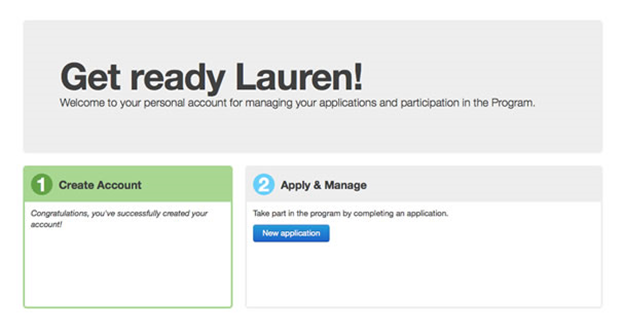
Log in to PennAEPS using the account information created in Step 1. Once logged in, click on “new application” to begin registering your facility.
Step 3
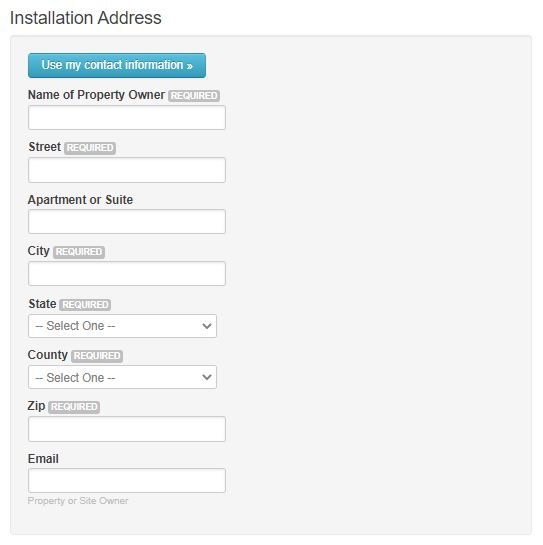
Provide the installation address and property owner/host for the solar facility. This information should match the name on the interconnection approval and can be different from the system owner. If this information is different from the owner of the system, this system is considered a lease/PPA for our application process.
Step 4

Step 5
Provide all the system details. Each unique combination of azimuth and tilt represents a new array. If all panels/modules have the same power rating, azimuth, and tilt, then you only need details for one array. Input the inverter information by indicating the number of inverters and inverter size(s) in watts. The “Derate Factor” can be left blank to use our default value of 0.14 or you can enter your own.
Step 6
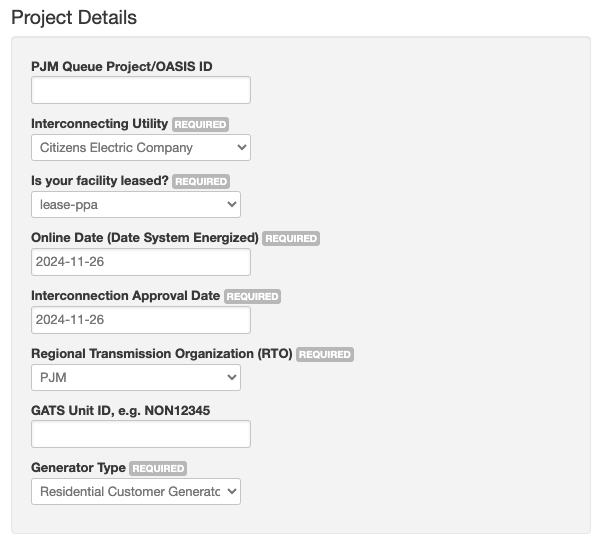
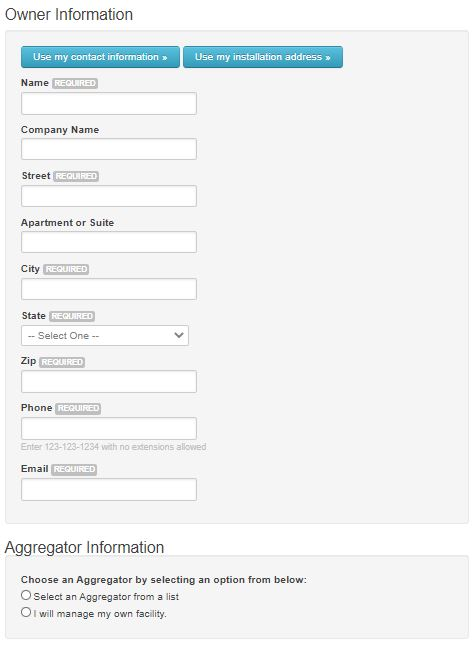
Enter the facility owner information and the aggregator information (if necessary). For facility owners who have contracted with an aggregator, choose their name from the drop-down menu. If the owner information does not match the property owner information provided earlier in the application for the installation address, please be sure to indicate that this facility is a lease/PPA under “project details”.
Step 7
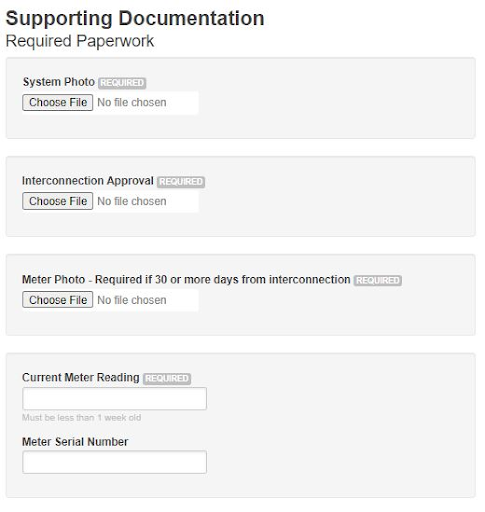
Upload all the supporting documents necessary for the application. All applications require a system photo and utility signed certificate of completion. PJM interconnected projects should include their commercial operation date letter. A signed Schedule A is also required if the system has an aggregator and a signed ROA is required if the facility is leased/PPA. A meter/inverter photo or online monitoring screenshot showing the current lifetime generation of the facility is required if the application is submitted more than 30 days from the date the certificate of completion is signed by the utility. The generation shown in this photo should match the “Current Meter Reading” field. Carefully read the attestation at the bottom of the page and attest to the statements. Click the “Save and Submit” button.
Utility scale solar projects should include a site plan or an as-built diagram. Drone or aerial photos if allowed by local regulations are preferred.

Step 8
The application has now been successfully completed. A confirmation email will be provided confirming that the application has been submitted. The Program Administrator reviews all applications within 30 days, and the status of the application can be checked anytime on the application dashboard. Once the application has been reviewed by the Program Administrator, you will receive an email requesting additional information or receive an email with the state certification number that you or your aggregator will provide to PJM-GATS to establish an account for entering meter readings and transacting credits.