
Application Instructions
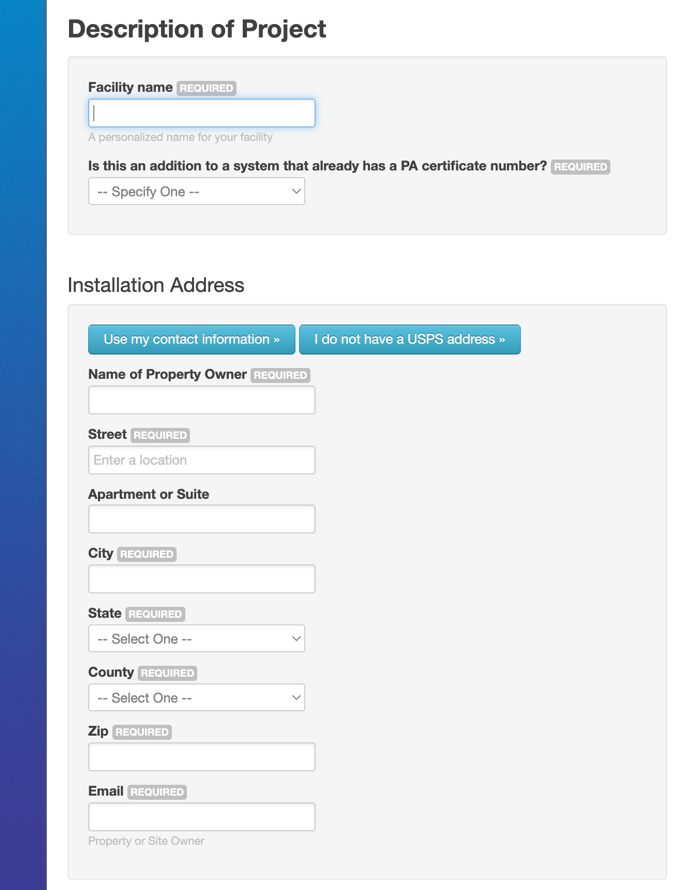
Step 1: Description of Project
Enter your project name, clarify if this is an addition to an existing facility, provide the property owner and installation address, and outline the project details and facility type.
Step 2: To view the next step, please click the tab that corresponds with your project.
The TRM year will automatically populate based on the TRM version in effect when the project was completed. Provide a description of the project and select the program, TRM measure, sub-measure, technology, claimed annual savings, and measure vintage.
Select the technology type from the following options; Low Impact Hydro, Large Scale Hydro, Captured Methane – Coal Mine, Waste Coal, Fuel Cell – Renewable, Fuel Cell – Non-Renewable, Gas – Blast Furnace Gas, Gas -Other, Distributed Generation-Combined Heat and Power Projects, Biomass-Agriculture, Biomass-Other Biomass Gas, Biomass- Other Biomass Liquids, Biomass-Other Biomass Solids, Biomass-Poultry Waste, Biomass-Sludge Waste, Biomass-Swine Waste, Pumped Storage, Solid Waste-Municipal Solid Waste, Waste Heat, Wood-Black Liquor-In PA, Wood Waste Liquids-In PA, Industrial By-Product, Demand Side Management.
Enter the total AC and DC system size and provide a description of your facility.
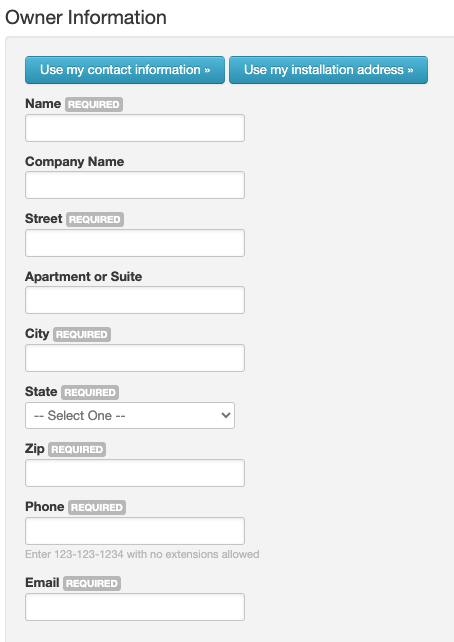
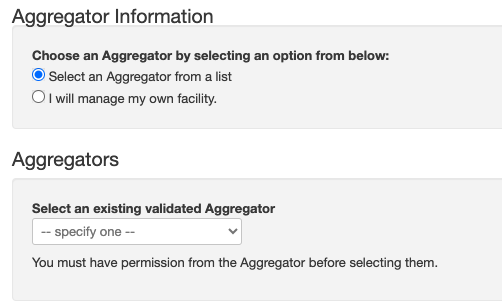
Step 3: Owner and Aggregator Information
Enter the contact information for the owner of the system. Select an aggregator if applicable or select that you will be managing your own facility. Please note that you must have the aggregator’s prior approval to select them. Aggregation may be updated after submission as needed.
Step 4: To view the next step, please click the tab that corresponds with your project.
Enter comments, complete the attestation, and click, “Save and Submit”
Attach the required and applicable optional documentation which includes system photo, interconnection approval, meter photo, applicable permits, ROA/Schedule A, site plan, other supporting documentation.
Enter comments, complete the attestation, and click, “Save and Submit”
Enter comments, complete the attestation, and click, “Save and Submit”
Enter comments, complete the attestation, and click, “Save and Submit”
Attach the required and applicable optional documentation which includes system photo, interconnection approval, meter photo, applicable permits, ROA/Schedule A, site plan, other supporting documentation.
Enter comments, complete the attestation, and click, “Save and Submit”
